Scanning for 3D-Printed Casts With an iPhone: How the Gero App Works
For years, digital casting meant buying a dedicated 3D scanner or a tablet with a clip-on sensor. With Gero, the scanner is the clinic's own iPhone. This guide explains how the scan works, what the team does in the visit, and what happens after they tap Done.
1. What you need
An iPhone 15 Pro or newer with the Gero app, and a short training session for the team. There is no special hardware to buy, no 3D printer and no design software: casts are designed by the Gero software and printed by certified production partners.
2. The scan
The clinician scans the injured limb with the Gero app. The scan takes under two minutes, is accurate to 1-2 mm, and nothing touches the patient's skin. The clinician then enters the patient details, picks the cast type and orders, all in the same visit.
3. From scan to model
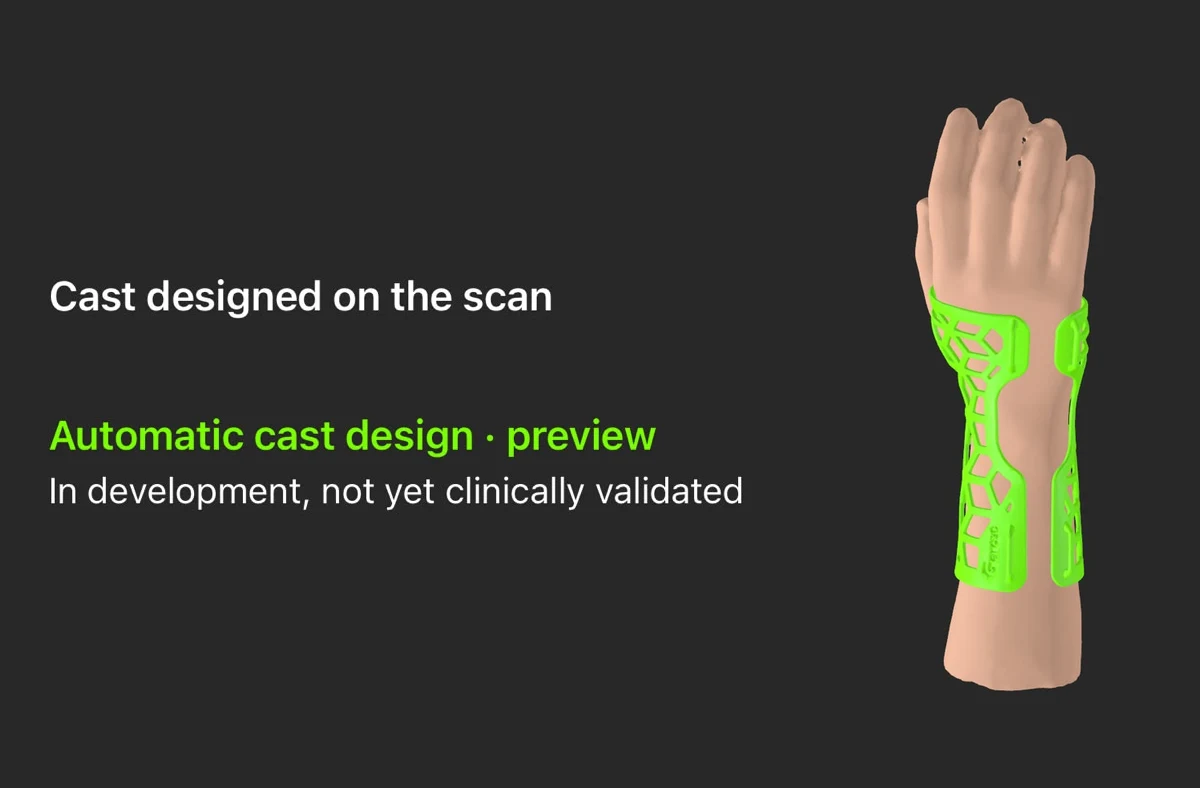
The clinician reviews the 3D model on screen and taps Done. The Gero design engine takes it from there: computer vision finds 21 anatomical keypoints, builds a hand skeleton and extracts the limb's contours, and a parametric model fits the cast to the patient and applies the chosen pattern. Design takes about 40 seconds, a task that takes about 45 minutes by hand.
4. Printing and delivery
Print-ready files go to certified additive-manufacturing partners working with ISO 13485 processes. Casts are printed, finished and shipped to the clinic within 3 days.
5. Why the iPhone matters for a clinic
- No capital cost: no scanner or tablet to buy, maintain or replace.
- Any room: the scan does not need a plaster room or a water basin.
- Easy to roll out: any trained team member with the app can scan.
6. Try it
Start with a free pilot: your first 10 casts at no cost, free training, and you scan with your own iPhone. Read how to offer 3D-printed casts at your clinic, see the U.S. pilot program, or book a demo.